HamsterOS
Coming November 2026v.57FreeDOS-backed boot · VM86 DOS first pass · cooperative desktop · 386+ / 2 MB
A complete 32-bit desktop OS on a single 1.44 MB floppy. The current master image boots through a trimmed FreeDOS wrapper, launches the 32-bit HamsterOS kernel with HAMLOAD.EXE, and runs a real windowed desktop on 386/486-era hardware. It can also install to and boot from an ATA hard disk via INSTALL.APP.
Press
HamsterOS on Hackaday
Hackaday featured HamsterOS in Donald Papp's June 29, 2026 article covering the 1.44 MB floppy desktop, built-in apps, hard-disk install path, DOS support, and HamsterWeazle.
Read the Hackaday feature →Screenshots

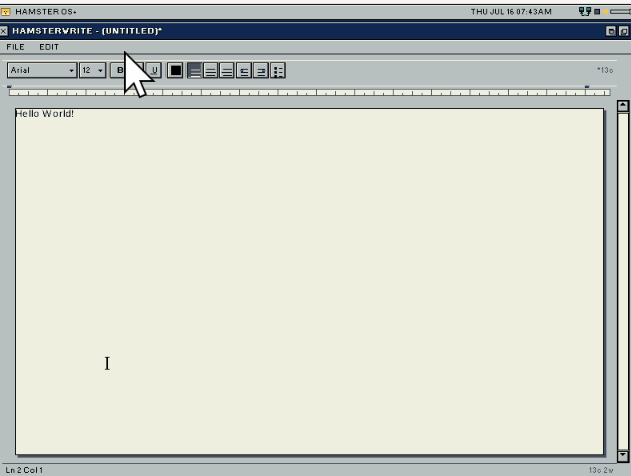
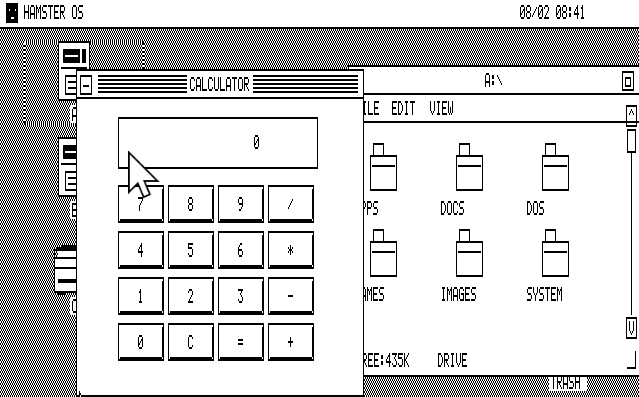
Boot screen

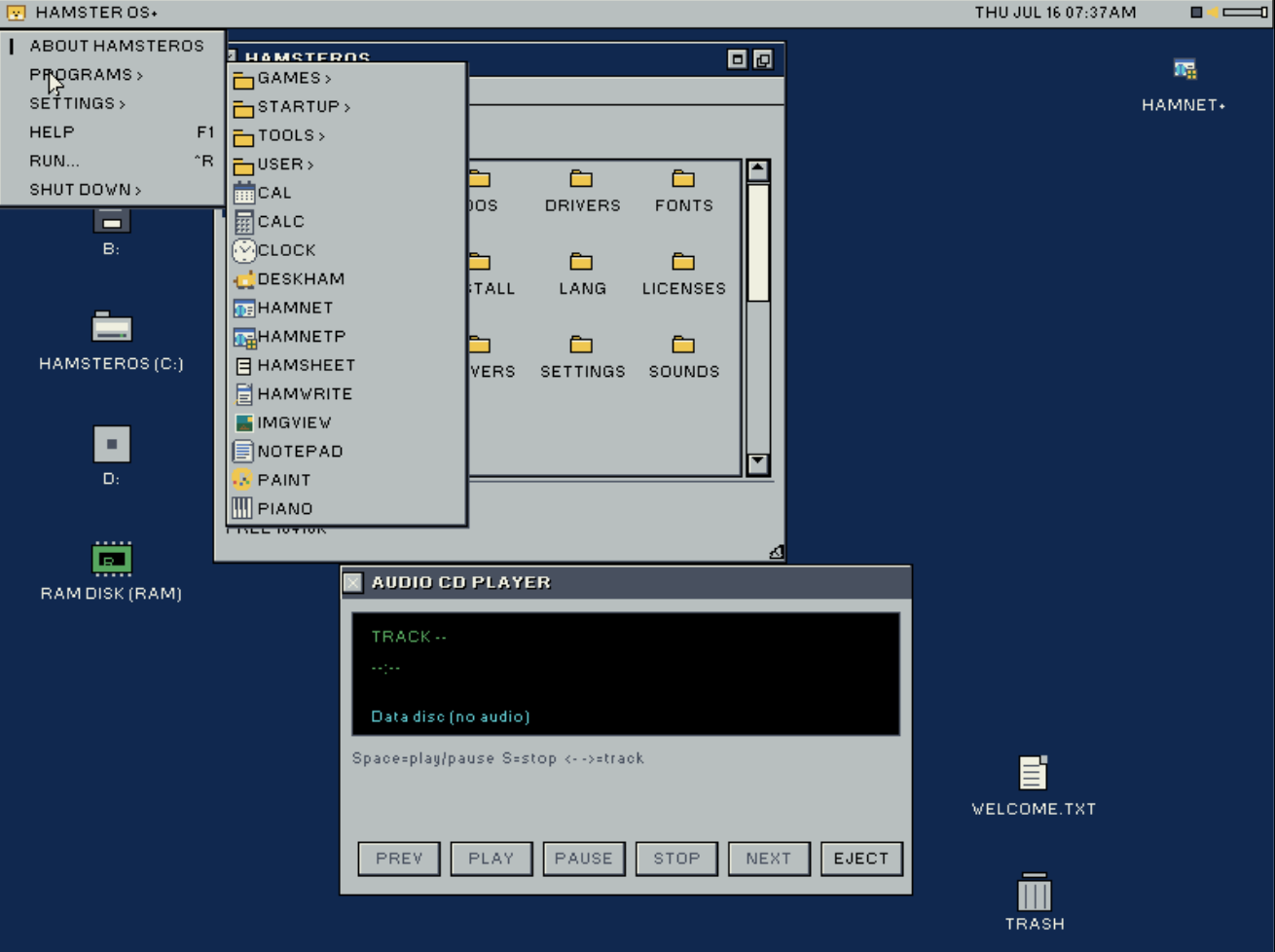
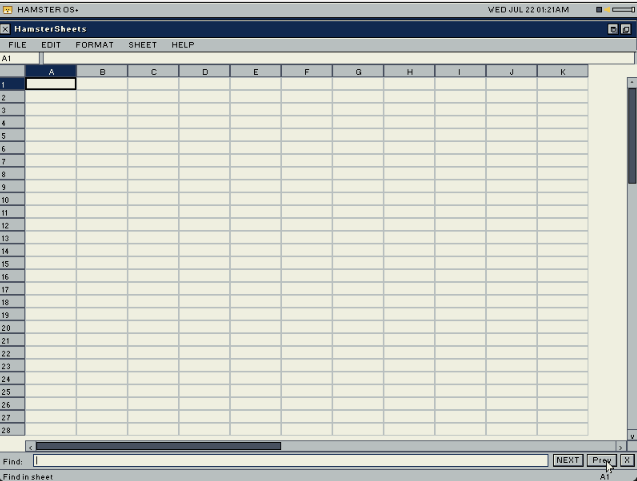
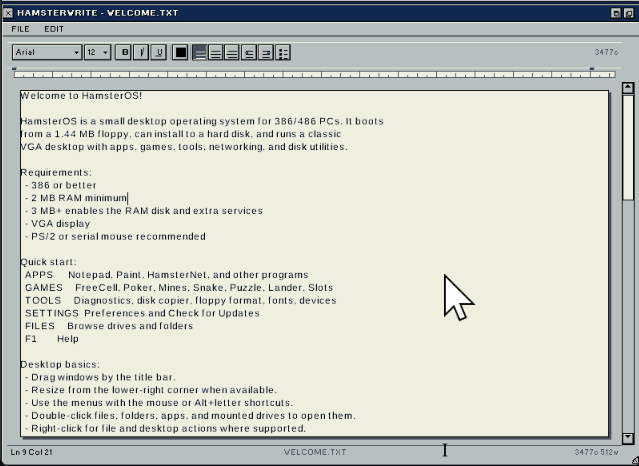
Welcome screen and file browser

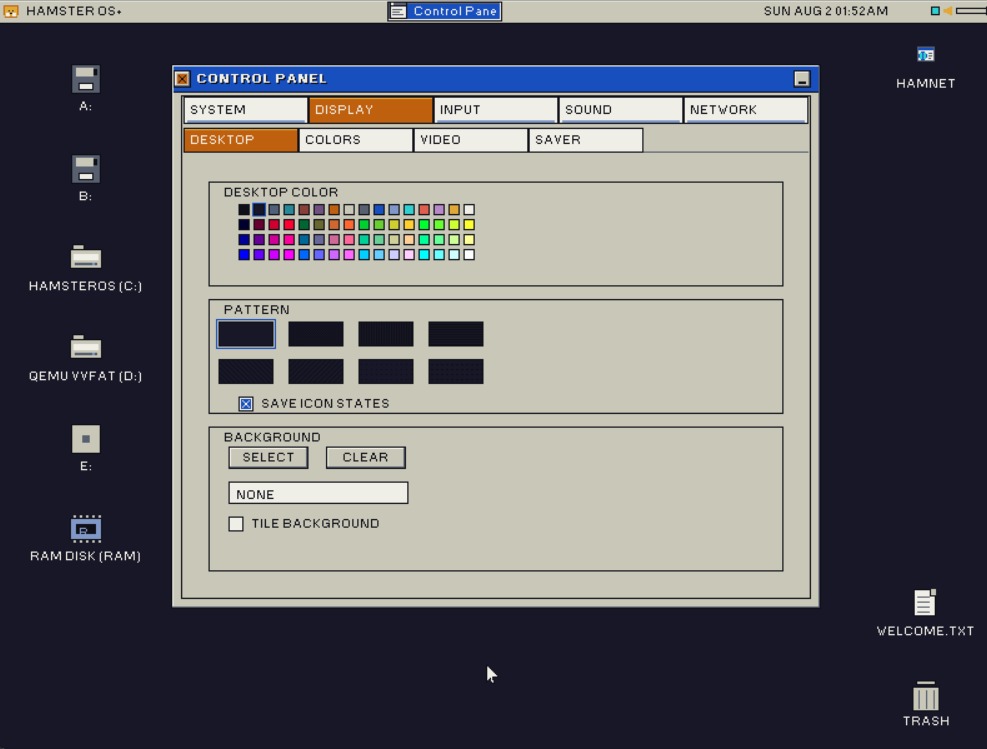
Desktop with Control Panel display preferences
Desktop Shell
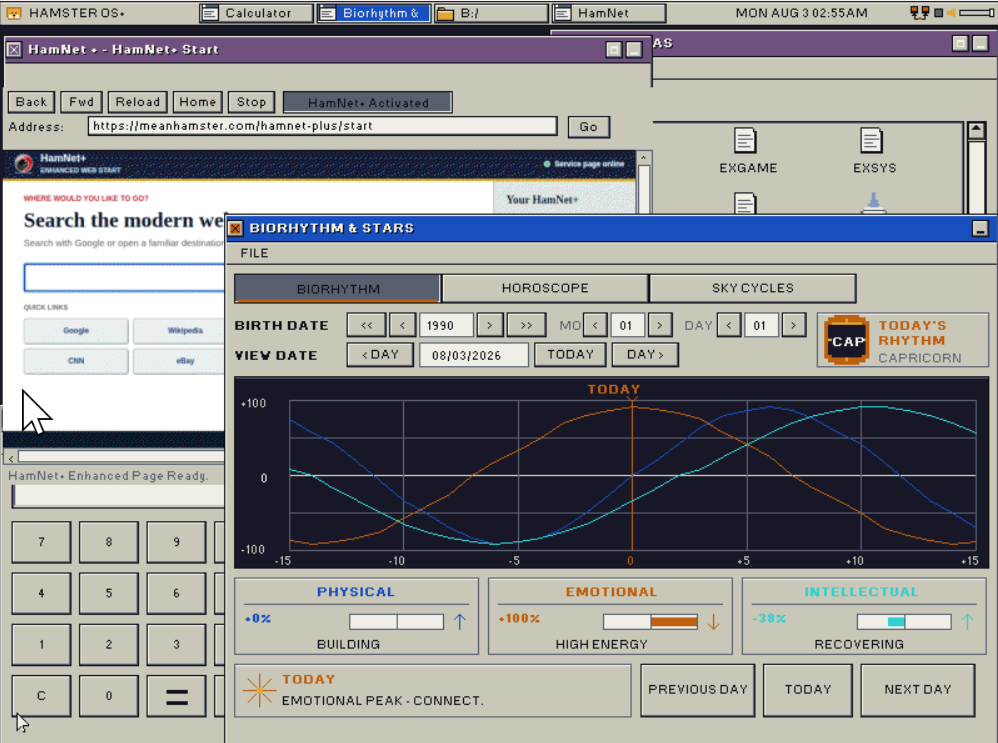
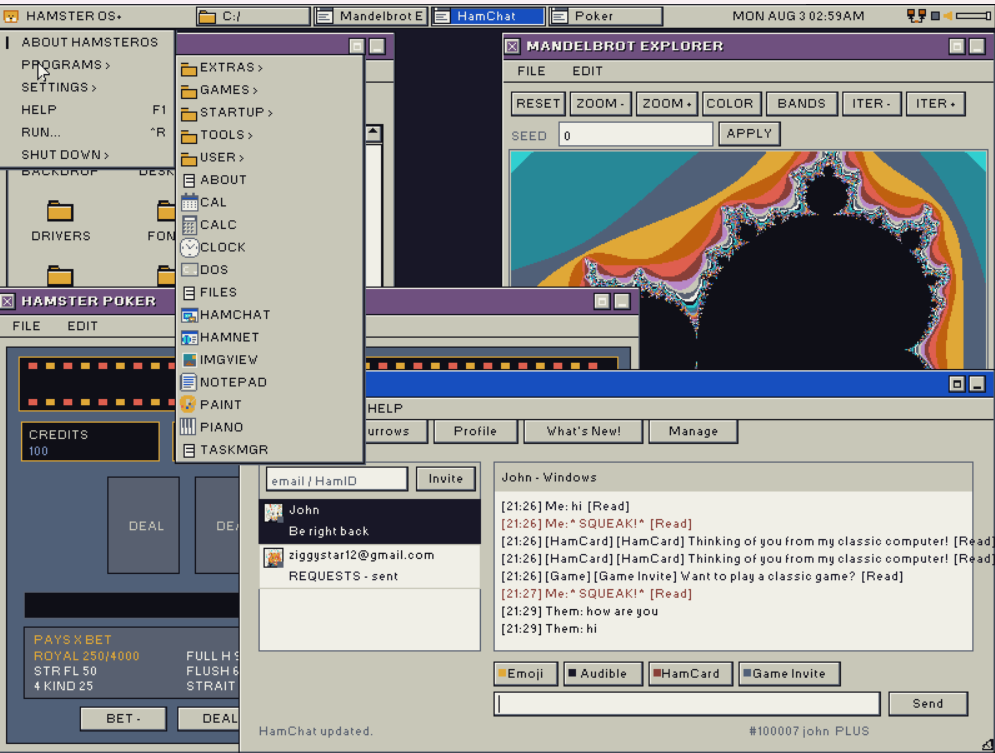
A complete windowed GUI running entirely within 1.44 MB.
Window Manager
Full z-order stacking with resizable and draggable windows. Bounded damage redraws on focus changes. Active windows show a navy title bar; inactive windows show dark gray.
Launcher Toolbar
Ten visible slots per page with pagination. 16-colour palette-indexed pixel-art icons with hover raise and pressed-state offset. Slots for FILES, FIND, NOTE, CLOCK, PREFS, CALC, CAL, PAINT, GAMES, APPS, TOOLS, USER, PIANO, and CD Player.
File Browser
Up to 5 spatial windows at once. Icon view (52x40) and list view, sorted by Name, Type, Size, or Date. Per-type icons for folders, documents, images, executables, and scripts. Copy/paste, rename, delete, new folder, mouse-wheel scrolling, and progress toasts on reads and writes.
Menu Bar
Classic File/Edit/View/Special menu bar always visible. Hover switches open menus; stale pixels cleared on close. Alt+F/E/V/S keyboard access.
Find Files
Recursive filename search with a dynamic drive selector showing only mounted drives. Click a result to jump the file manager. Light-dismiss on outside click.
Desktop
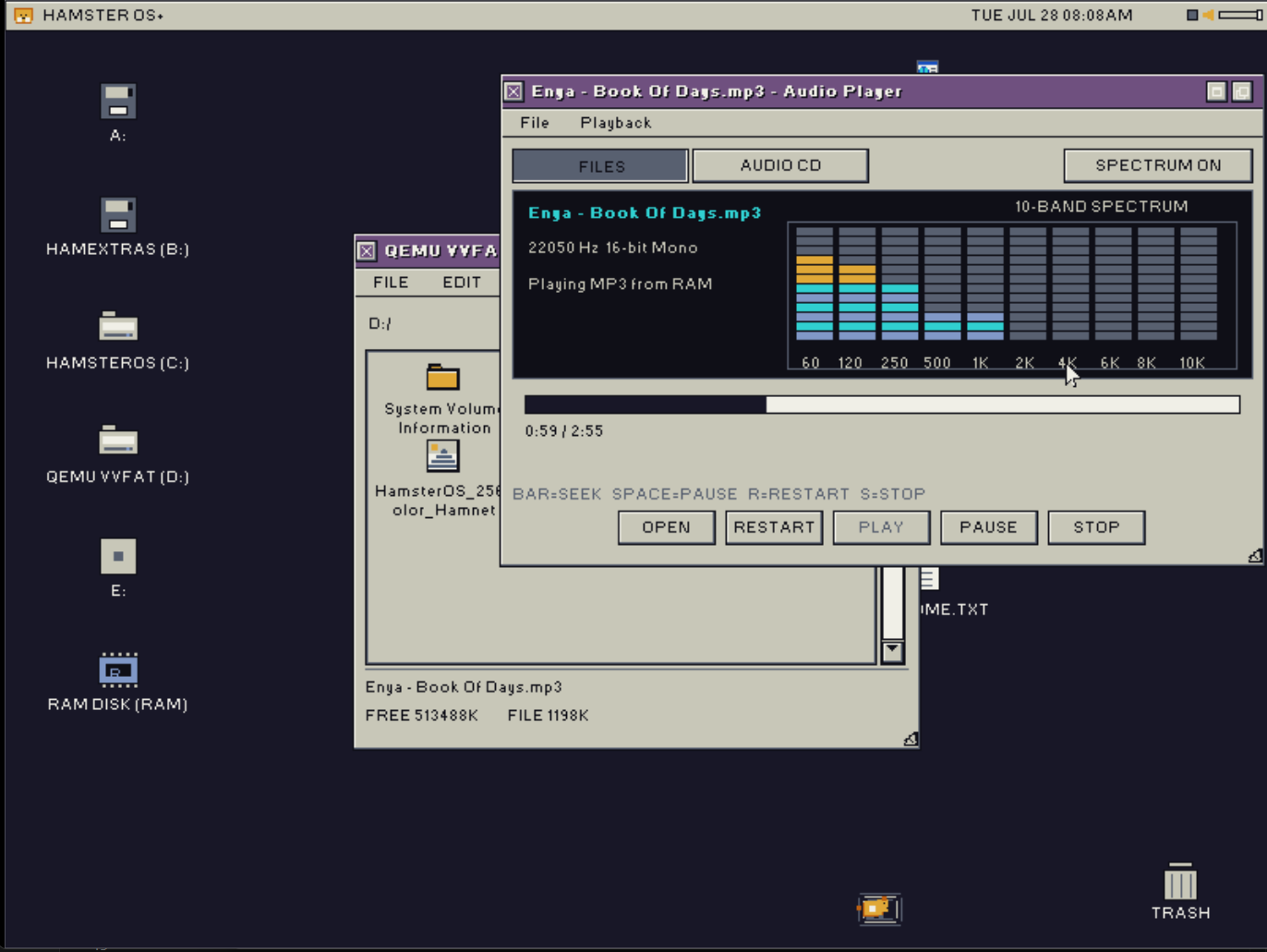
Dynamic drive icons for mounted floppies, hard disks, optical media, and the RAM disk, with 3D bevel selection. Desktop file positions save to DESKTOP.CFG, and removable icons appear automatically when drives mount.
Trash
Delete operations move files and folders into boot-volume /TRASH/ with restore metadata. The desktop Trash icon opens the folder, restores items, or empties hard-deleted contents.
Screen Savers
Stars (parallax), Flying Hamsters (16-colour animated sprites with bobbing and wing-flap), and Text Bounce. Configurable idle timeout; any input wakes.
System Recovery
CMOS crash counter forces VGA 640x480x16 safe mode after 3 consecutive crashes. I/O stall detection surfaces a nonfatal dialog if the main loop heartbeat stalls over 8 seconds.
Cooperative Multitasking
One lean foreground event loop dispatches queued input, bounded redraws, app update ticks, and kernel_service() yield points so slow disks stay responsive without RAM-heavy preemptive stacks.
Applications
All built-in, all fit on the floppy.
Notepad
Load, Save, Save As with FAT file dialog. 4-step undo, Find and Replace (case-insensitive, with highlight), line numbers, word and character count, Go-to-line (Ctrl+G). Dirty tracking with confirm-before-close.
HamsterPaint
Full-screen 16-colour BMP editor. Pencil, fill bucket, line, rectangle, ellipse, eraser, selectable regions, cut/copy/paste, Ctrl+Z undo, Ctrl+S save, and 1x/2x zoom.
Image Viewer
Standalone IMGVIEW.APP opens BMP and GIF files from the toolbar, launcher, file dialog, or file associations. Images are quantized into the VGA/EGA 16-colour palette.
HamsterPiano
On-screen keyboard. When SoundBlaster 16 is detected, plays OPL3 FM notes and shows a DEMO button for The Entertainer. Falls back to PC speaker square-wave tones otherwise.
CD Audio Player
Red Book audio via Matsushita/MKE ISA CD-ROM or ATAPI. Track listing, elapsed time, play, pause, stop, and skip.
Clock, Calendar, Calculator
RTC-driven analog clock with second hand. Monthly calendar with highlighted current date. Four-function calculator.
Preferences
Control Panel tabs for Desktop, Theme, Mouse, Sound, Display, screen savers, RAM disk, font choice, and direct CMOS time/date editing.
Games
Eight native games plus classic DOS titles through VM86 first, with FreeDOS handoff fallback.
FreeCell
52-card solitaire with auto-move, multi-card run moves, and single-level undo.
Video Poker
Jacks or Better 5-card draw. Full hand evaluator, coin balance, payouts up to 800x.
Minesweeper
Left-click reveal, right-click flag, win/lose detection.
Snake
Arrow-key growth, collision, persistent top-5 scores, initials, and RTC date stamps.
Sliding Puzzle
15-tile with solved detection.
Moon Lander
Gravity, thrust, and fuel gauge.
Slot Machine
Three reels, paylines, and coin mechanics.
DOS Games
File-manager .COM/.EXE launches try the in-kernel VM86 DOS box first. Broader programs can still fall back to FreeDOS.
Storage
FAT12/16/32 read/write, ISO-9660 read-only, RAM disk, and a full install toolchain.
| Drive | Device | Notes |
|---|---|---|
| A: | Floppy 0 | FAT12; CMOS geometry detection (1.44 MB 3.5" or 1.2 MB 5.25") |
| B: | Floppy 1 | If present; same CMOS geometry detection |
| C: onward | ATA hard disks | Dynamic FAT16/32 partitions across ATA disks; extended/logical partitions scanned |
| Next letters | ATAPI/MKE CD-ROM | Detected optical drives remain visible even when the disc is unreadable; ISO-9660 + Red Book audio |
| R: | RAM disk | Auto-enabled on >= 3 MB systems |
FAT Driver
FAT12/16/32 read/write; ISO-9660 read-only. Safe overwrite writes new data before freeing old clusters. Read-back verify on all writes.
Disk Copier
Sector-exact floppy copy (A→B, B→A, or A→A single-drive). Single-drive mode auto-calculates passes from available RAM. Progress bar per pass.
Format Tool
Quick FAT12 format of A: or B: with a custom volume label.
Partition Tool
View all 4 MBR partition entries. Blank the first ATA hard disk (full-sector wipe with confirmation). Create one active full-size FAT16 LBA primary partition.
Format Hard Disk
FAT16-formats the first partition on the ATA hard disk. Writes boot sector, FAT tables, and root directory. Remounts on completion.
HD Install Tool
Full hard-disk install from the boot floppy. Auto-partitions and formats a blank disk, copies the full OS tree, and queues the FreeDOS FDISK/SYS steps so C: can boot back into HamsterOS.
Storage Registry
FAT sector I/O now routes through a storage registry, so future devices such as SCSI disks can mount without rewriting the FAT layer.
SCSI Diagnostics
SCSIDIAG.APP and a probe-only NCR400.DRV target NEC T130B / NCR 53C400 ISA cards, scanning memory windows and I/O bases for real-hardware bring-up.
Sound
SoundBlaster 16 auto-detected at boot; PC speaker fallback always available.
SoundBlaster 16
Auto-detected at boot (probes 0x220/0x240/0x260/0x280). 8-bit unsigned mono PCM via ISA DMA channel 1, IRQ5-driven streaming in 48 KB chunks, plus OPL3 FM synthesis for HamsterPiano.
Startup Chime
Retro ascending-bell chime (/STARTUP.WAV, about 22 KB, 11025 Hz, 8-bit mono). Loaded before the desktop draws, played non-blocking, then heap-freed automatically.
Notification Doot
Small soft-bell WAV (/DOOT.WAV, about 4.8 KB, 8 kHz). Used for confirm and notification sounds and kept resident only when Wave Doot mode is active.
Volume Slider
Yellow speaker icon in the header when SB16 is detected. Eight-step slider adjusts SB16 master volume and CD audio input together. Moving the slider plays the doot as audible feedback.
Sound Picker
Preferences lets users choose Startup, Confirm, and Error event WAV files from /SOUNDS/*.WAV while preserving tiny defaults for the floppy budget.
PC Speaker
PIT channel 2 + port 0x61 gate. Beep, Tone, Wave Doot, and None modes cover both fallback hardware and quiet setups.
Hardware Drivers
| VGA 640x480x16 | Direct register mode 12h; universal fallback |
| VBE 640x480x256 | Diagnostic/research only until banked and linear framebuffer paths are split |
| VBE 800x600x256 | Diagnostic/research only; not exposed as the shipping desktop path |
| PS/2 Mouse | IRQ12-driven; IntelliMouse wheel packets supported when detected |
| Serial Mouse | COM1, Microsoft 3-byte 1200-baud; auto-fallback |
| Keyboard | IRQ1-driven; Ctrl/Shift/Alt; extended prefix handling |
| ATA IDE | All 4 positions; PIO, LBA28, cache flush |
| ATAPI CD-ROM | All 4 positions; MKE ISA fallback; TOC, play, pause, eject |
| ISA Floppy | 8272A FDC; 18-sector track buffer; motor batch mode |
| SoundBlaster 16 | 8237 DMA ch1, IRQ5, 8-bit PCM; chunked streaming |
| External HAMD Drivers | Loadable .DRV binaries from /DRIVERS/; SB16 and input drivers use this path |
| Device Manager | Lists compiled-in and external devices, with refresh and driver detail views |
Keyboard Shortcuts
| Ctrl+Z | Undo |
| Ctrl+X / C / V | Cut / Copy / Paste |
| Ctrl+A | Select All |
| Ctrl+S | Save |
| Ctrl+F | Find |
| Ctrl+G | Go to Line (Notepad) |
| Ctrl+Q | Quit active window |
| Alt+H / F / E / S | Open menu |
| F1 | Help |
| F4 | Open Notepad |
| Ctrl+Alt+Del | Open Task Manager |
| Esc | Close / cancel |
Technical Specs
| Minimum CPU | Intel 386 or compatible |
| RAM | 2 MB minimum; 3 MB for full feature set (RAM disk, SB16) |
| Display | VGA 640×480×16 colours (mode 12h) — shipping safe desktop |
| VBE modes | 640×480×256 and 800×600×256 are diagnostic/research modes until banked/linear handling is fully split |
| Boot medium | 1.44 MB FAT12 floppy (single disk) |
| Hard disk install | FAT16 via INSTALL.APP; auto-partitions/formats a blank ATA disk |
| Filesystem | FAT12/16/32 read/write; ISO-9660 read-only; RAM disk; boot-volume /TRASH/ |
| Bootloader | HAMLOAD.EXE (DOS .EXE loader via FreeDOS wrapper) |
| Input | PS/2 mouse with wheel support; Serial mouse fallback (COM1, 1200-baud); Keyboard (IRQ1) |
| External apps | HAMA v1 — R_386_32 relocations, compressed .APP payloads, .ICO sidecars |
| External drivers | HAMD v1 — uncompressed loadable .DRV binaries with DriverHostAPI |
| DOS compatibility | VM86 DOS box first for .COM/.EXE launches, FreeDOS handoff fallback for unsupported programs |
| Current version | .57 |
| Target release | November 2026 |
Where things stand
HamsterOS is well past the “can it boot” stage. The desktop shell, all built-in apps, games, storage toolchain, SoundBlaster audio, hard-disk install flow, first-pass VM86 DOS runner, dynamic drive layout, Trash, Device Manager, and external driver model are implemented. The current focus is stability, real-hardware validation, SCSI support, performance tuning, and polish before the public floppy image ships.
Targeting November 2026. Check our news feed for progress updates.